
Multiple light and dark themes for the assistant chrome (not only system theme); choice syncs via prefs / bridge.
What this is
Pick among several light and dark themes for assistant chrome. Your choice is stored and reapplied via the assistant bridge so the panel matches your taste—not only macOS light/dark.
Scroll through assistant chrome themes in the gallery below.
Theme gallery
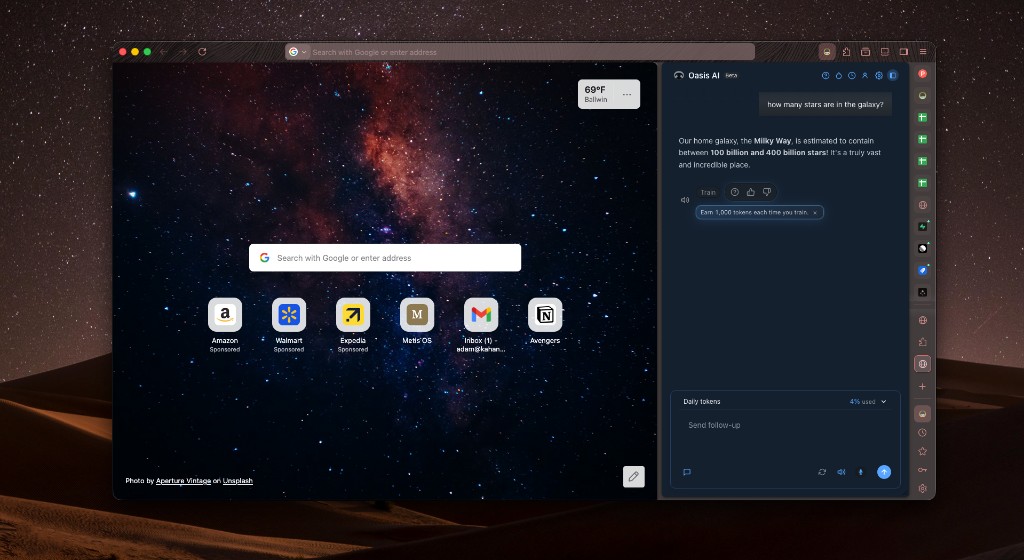
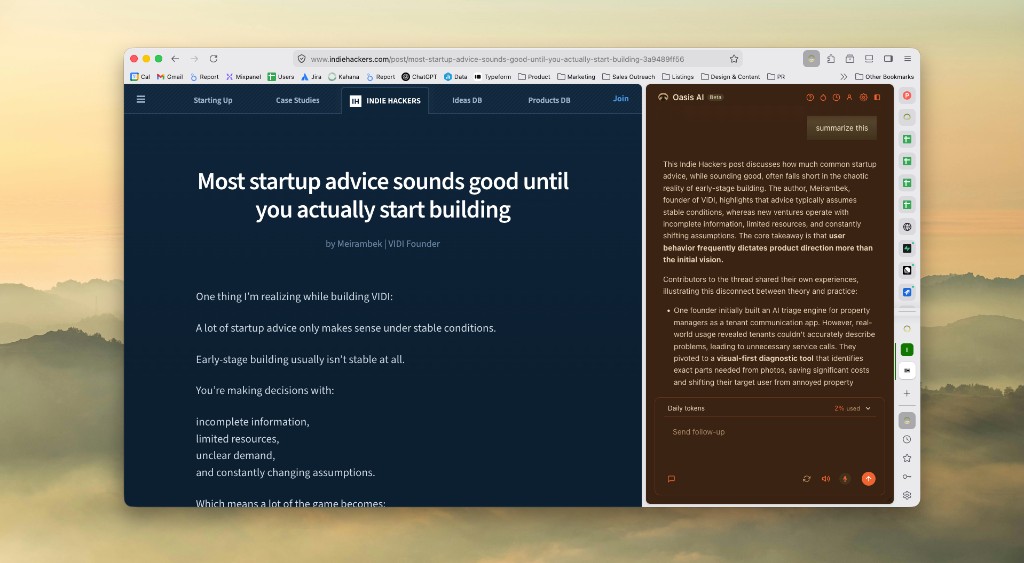
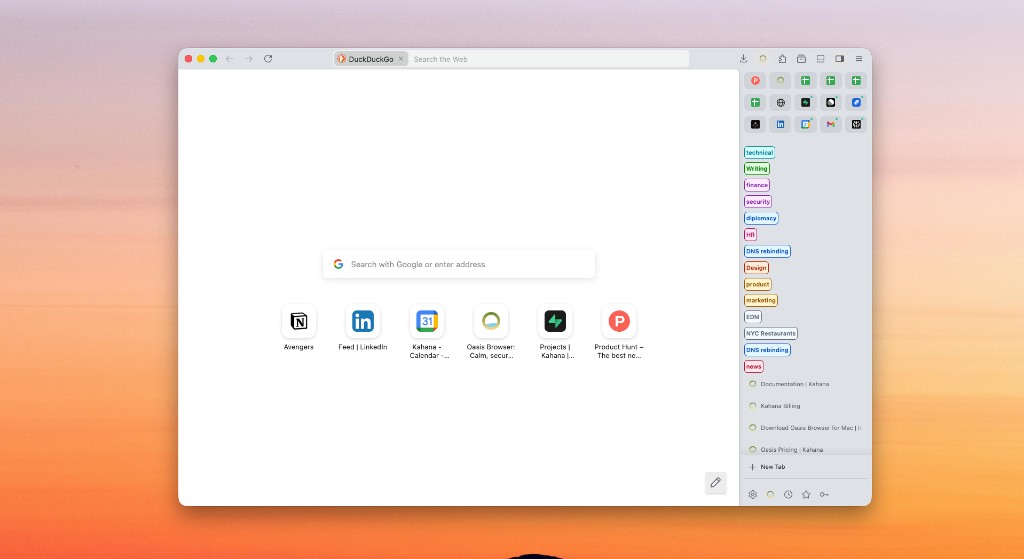
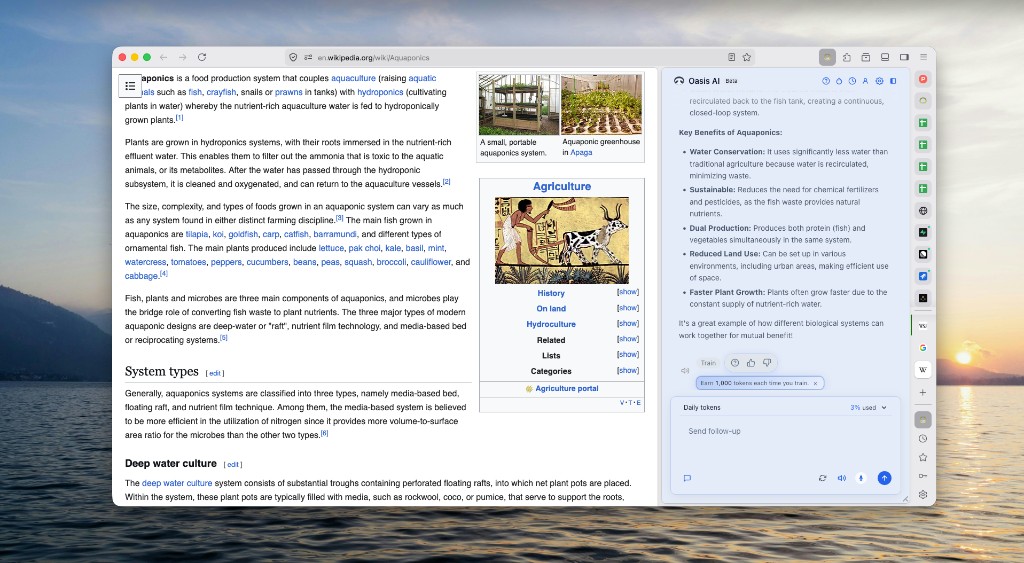
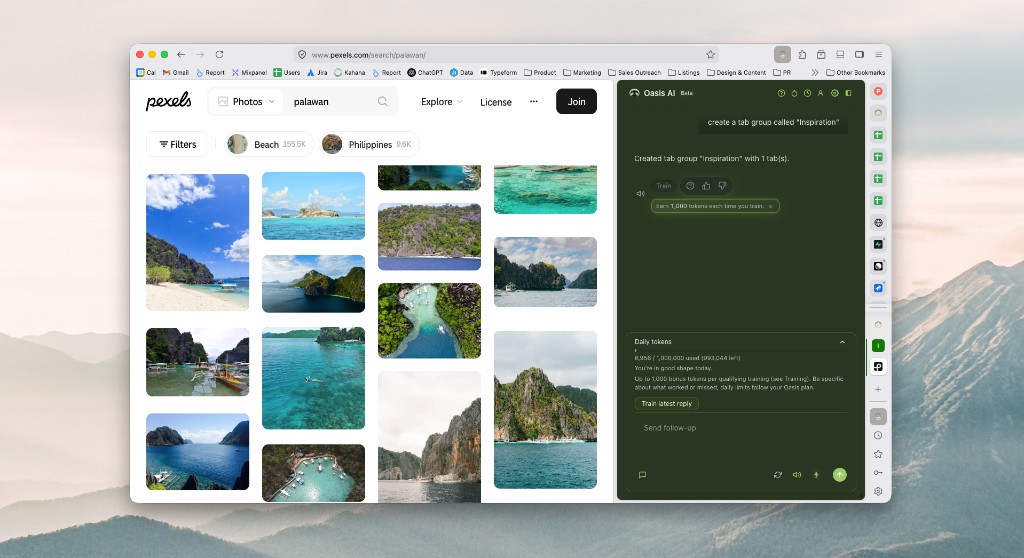
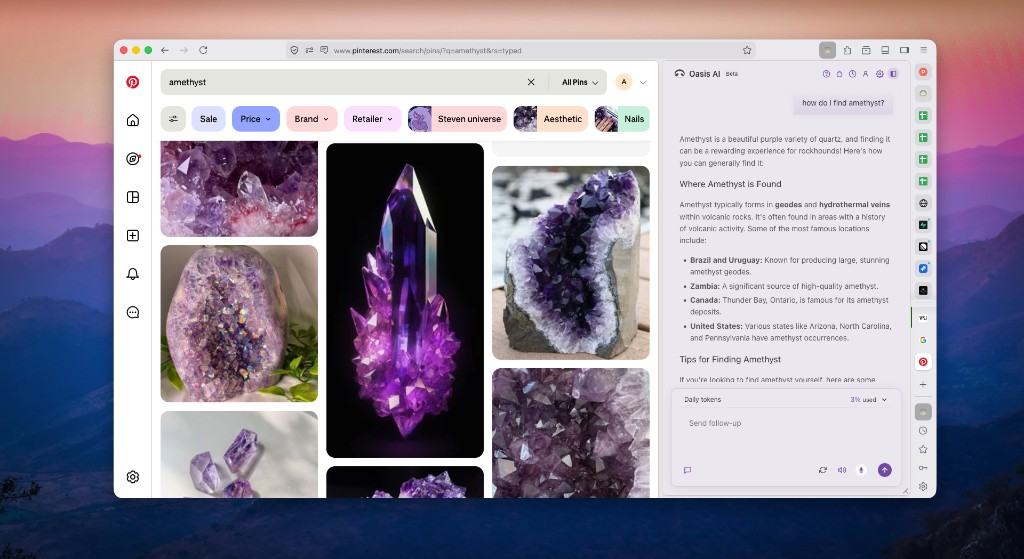
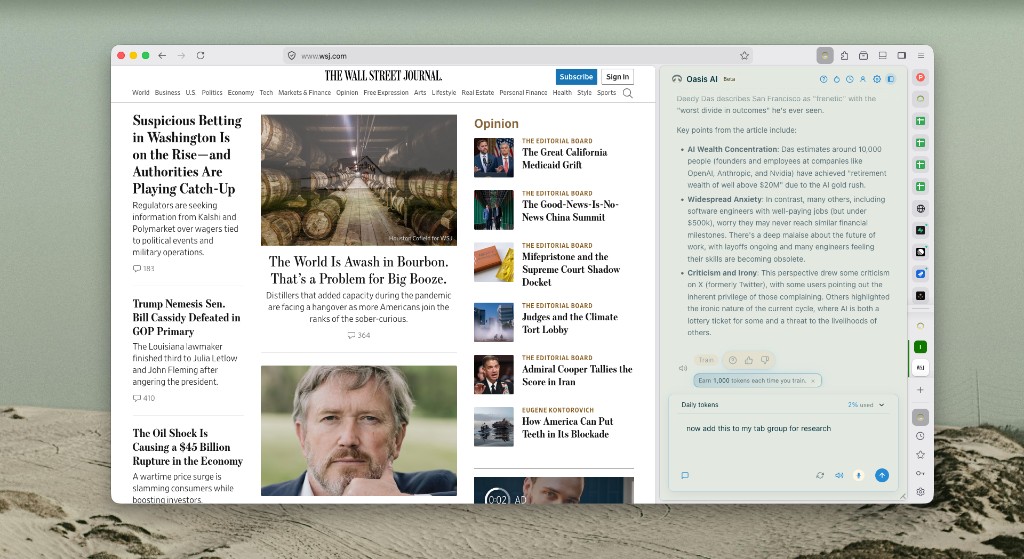
How to use it
- Open the theme picker from the assistant header menu.
- Preview schemes; pick one per appearance mode if offered.
- Themes do not change web page content colors—only the assistant UI chrome.
Notes and limits
Some high-contrast OS settings may still influence base colors.
Related topics
Related Documentation
Performance and resource usage
Is Oasis too heavy? How CPU, memory, disk, and network are used—for browsing, the assistant, and optional on-device features.
Training and bonus tokens
How Oasis training works, whether anonymous training leaves the device, privacy-first trainable browser, personalized vs anonymous modes, and daily bonus tokens.
Import data from other browsers
How Oasis imports bookmarks, passwords, history, extensions, and autofill from Chrome, Edge, Safari, Brave, and more—and where that data lives relative to the cloud assistant.
About the Author

I'm the CEO of Kahana, bringing a unique perspective from my management consulting experience at Clarkston Consulting and biomedical engineering background from Duke University. I'm focused on making the future of work more elegant through innovative technology solutions that prioritize user well-being and productivity.